Agentlink guide
How to sync AGENTS.md with symlinks
Use one real instruction file and expose it at the paths your AI coding tools expect. This removes duplicate-file drift while keeping the filesystem relationship visible and reversible.
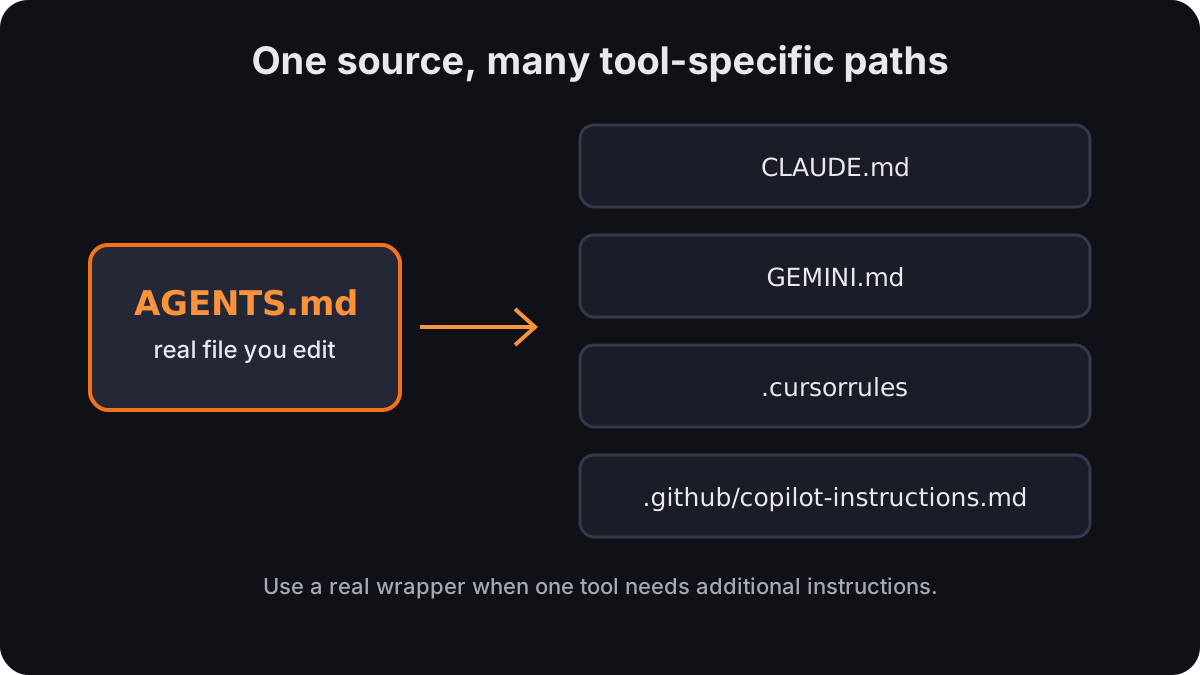
When a symlink is the right model
A symlink is appropriate when two instruction paths should contain exactly the same guidance. There is one file to review, one revision history, and no generated copy to become stale. The consuming tool still opens its familiar path, but the operating system resolves that path to the shared source.
Do not use an alias when the target tool needs additional or conflicting instructions. Keep that tool’s file real and use a documented import or configuration mechanism when one exists. For Claude Code, see the CLAUDE.md and AGENTS.md decision guide.
A minimal project setup
Create the source file yourself, declare only the aliases that should remain identical, then preview before writing links:
# .agentlink.yaml
source: AGENTS.md
links:
  - CLAUDE.md
  - GEMINI.md
  - .github/copilot-instructions.md
Run from the project directory:
agentlink sync --dry-run
agentlink sync
Agentlink creates missing parent directories and uses relative link targets inside a project. The updated source requires --force to replace broken or misdirected links; --backup permits regular-file replacement only. A regular file is not silently replaced: use --backup after inspection, or --force only when replacement is intentional. Directories and special files are refused.
Verify the result
- Run
agentlink sync --dry-runand inspect every proposed path. - Run
agentlink sync, then usels -lto confirm each alias points to the intended source. - Edit the source and open each alias to confirm the same change is visible.
- Commit the source, project configuration, and intentional symlinks so collaborators receive the same topology.
Global files use the same pattern
A global configuration can point from one home-directory source to tool-specific locations such as ~/.claude/CLAUDE.md, ~/.codex/AGENTS.md, and ~/.gemini/GEMINI.md. Run agentlink detect --generate --prefer-native first if you want Agentlink to recommend a native, configurable, or import-based integration before a symlink.